How-to guide
How to create a project with a reusable workflow
This guide shows you how to create a project with a repeatable status flow. Apply a template that already exists in Agiflow, or use an organization-scoped AI assistant to create a custom template first.
Published . Last updated .
At a glance
If the workflow you need already appears in Agiflow, select it while creating the project. If you need reusable statuses, starter tasks, or agent members, create an organization template with a connected AI assistant, then create the project from that template. Both paths seed the project with the template's ordered statuses, starter tasks, and optional agent members. Blank Project uses Agiflow's default statuses and has no starter tasks.
Use an existing template in Agiflow
Select an existing Agiflow template on the project creation screen, complete the project details, and confirm the seeded board after creation.
Prerequisites
- You are signed in, can create projects, and can see the required template.
Create the project
- Open Projects and select New Project.
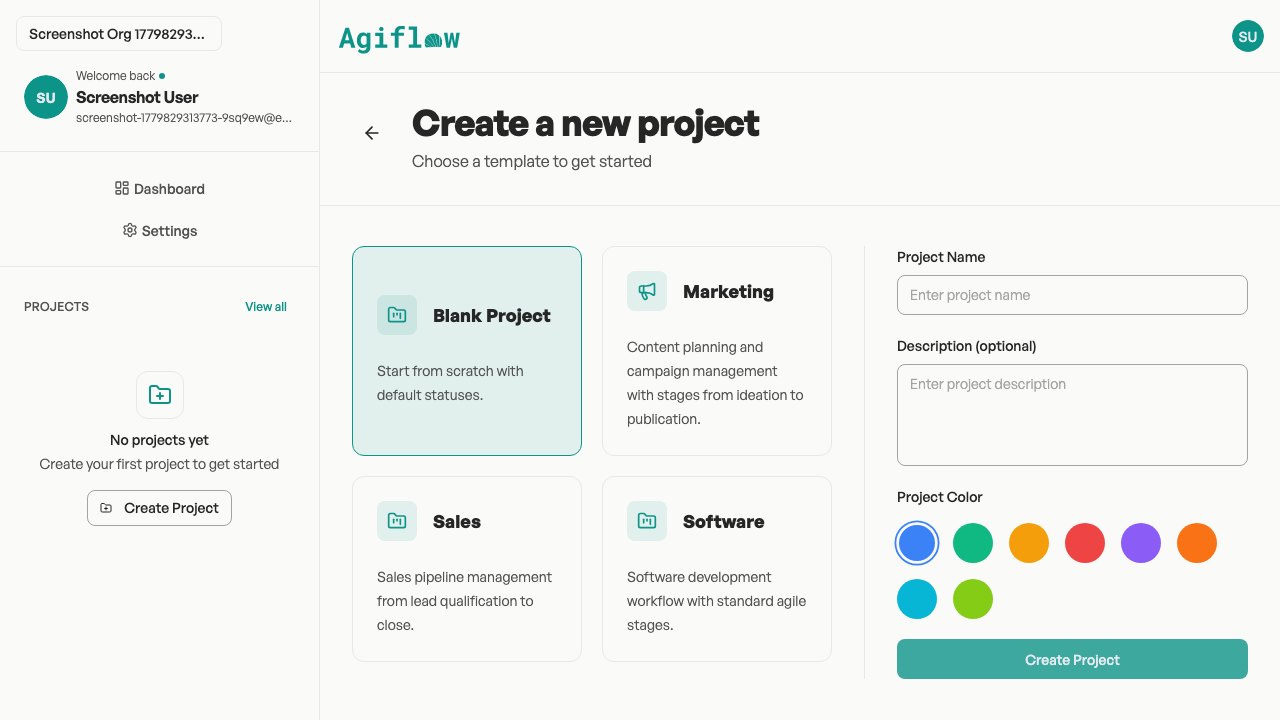
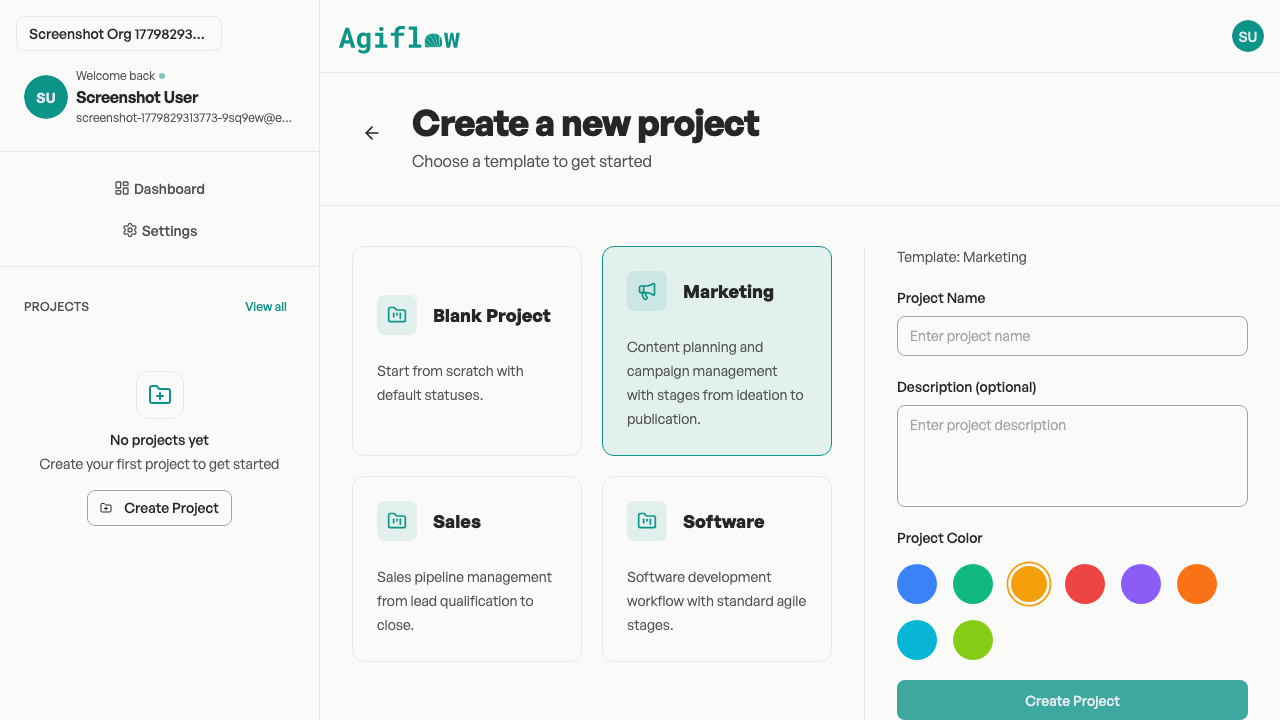
- On Create a new project, select Blank Project or an available template.
- Enter a Project Name and optional Description, choose a Project Color, and confirm
Template: {name}. - Select Create Project.
Expected result
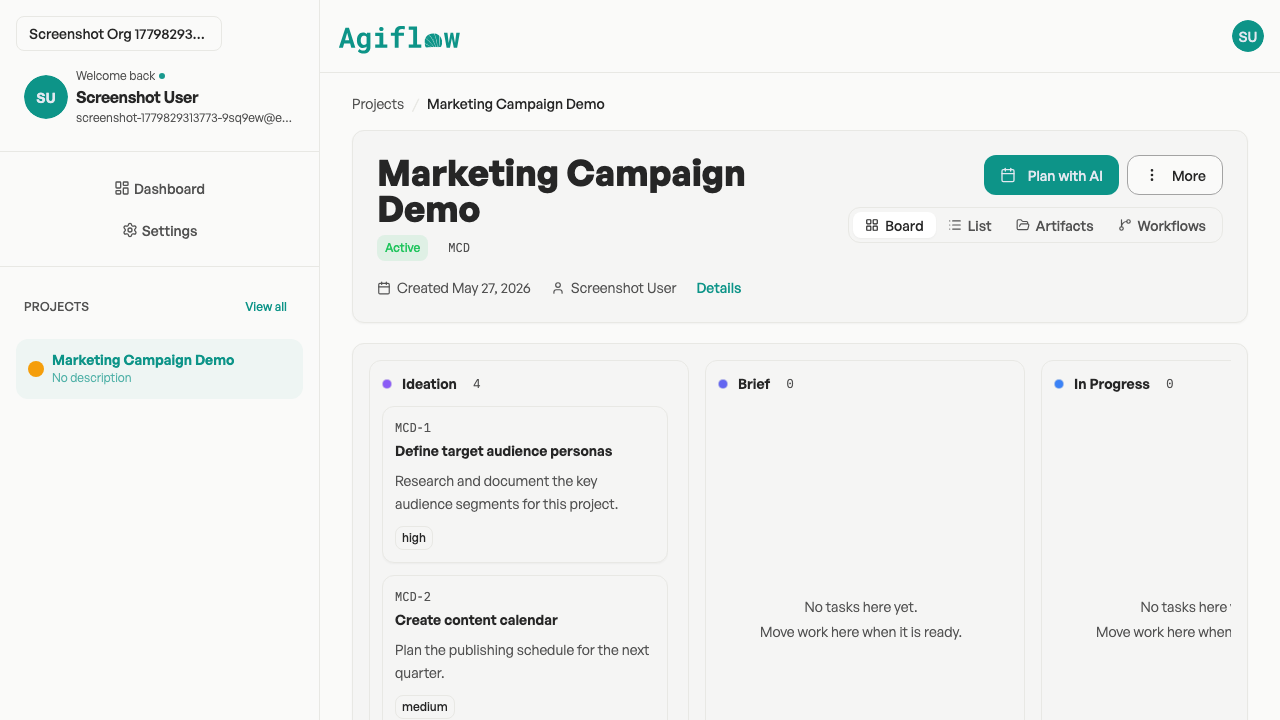
Agiflow opens the new project with the selected template's status order and starter tasks. If the template defines missing agent members, Agiflow adds them.
Verify the workflow
Check that the lane names and order match the selected template, expected starter tasks appear in their lanes, and the project name and color match your values.
Limitations and recovery
The project screen applies templates that already exist, but it does not define custom templates. If you selected the wrong template before creating the project, select another card. If the workflow is not listed, use the AI-assistant path to create it first.
Next steps
See How your board is organized for the relationship between projects, work units, tasks, and status lanes.
Ready to use the board?